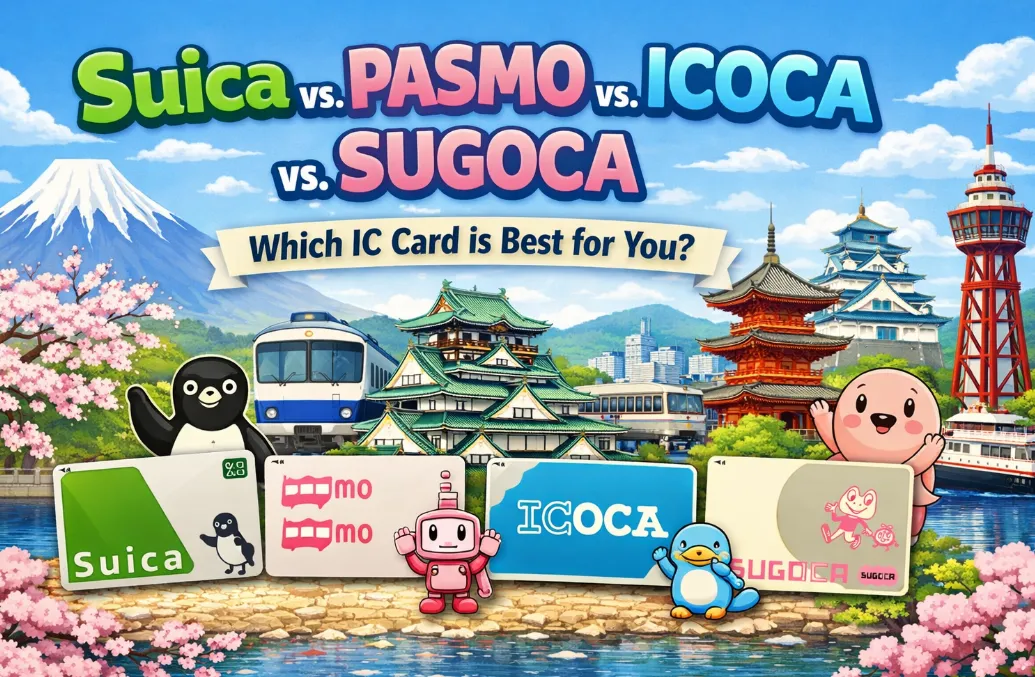
Planning a trip to Japan and feeling overwhelmed by the choice of IC cards? You’re not alone. With Suica, PASMO, ICOCA, and Sugoca each offering seamless travel across trains, buses, and even retail purchases, selecting the right one can be confusing for visitors. While these cards are largely interchangeable nationwide, subtle regional strengths, availability, and special features may influence your decision. This guide breaks down the key differences, latest updates, and practical tips to help you choose the best IC card for your Japanese adventures.
Overview of These IC Card
In 2026, the short answer is: It almost doesn’t matter which one you choose. Thanks to the nationwide integration, these cards are 99% interchangeable. This means if you have a Suica, you can use it in the PASMO area (Tokyo), the ICOCA area (Osaka/Kyoto), and the SUGOCA area (Kyushu). They all work for:
-
Local Trains & Subways: Tap-on, tap-off.
-
Buses: Most city buses nationwide.
-
Vending Machines & Convenience Stores: Tap to pay for snacks/drinks.
-
Taxis: Most modern taxis accept all of them.
However, there are tiny differences in where you buy them, how you get your deposit back, and mobile app availability.The "best" card is simply the one easiest for you to get when you land.
🔺Quick Comparison Table:
|
Feature |
|
|
|
|
|
Main Region |
Tokyo, Sendai, Niigata |
Tokyo metro/private railways |
Kansai region (Osaka/Kyoto/Kobe) |
Kyushu (Fukuoka, Kumamoto, Nagasaki) |
|
Issuer |
JR East |
Private Tokyo rail companies |
JR West |
JR Kyushu |
|
Mascot |
Penguin |
Pink Robot |
Platypus (Ico) |
Frog (Kaeru-kun) |
|
Transport Use |
JR trains, buses, metro |
Private trains, buses, metro |
JR trains, buses |
JR trains, buses |
|
Stores & Vending Machines |
✅ |
✅ |
✅ |
✅ |
|
Deposit |
500 JPY |
500 JPY |
500 JPY |
500 JPY |
|
Mobile Version |
Yes (Apple/Google Wallet) |
Yes (Apple/Google Wallet) |
Yes (Apple/Google Wallet) |
Limited (Mostly Physical) |
|
Interoperability |
Works nationwide |
Works nationwide |
Works nationwide |
Works nationwide |
|
Refund Location |
Only at JR East stations |
Only at Tokyo Metro/Private |
Only at JR West stations |
Only at JR Kyushu stations |
|
Best For |
Arriving at Narita/Haneda |
Commuters in Tokyo |
Arriving at Kansai (KIX) |
Arriving in Fukuoka |
|
Special Notes |
Cute/collectible designs |
Tokyo private line convenience |
Regional designs |
Regional mascots, simple design |
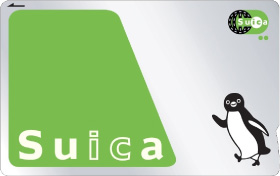
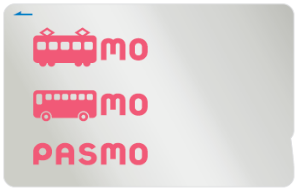
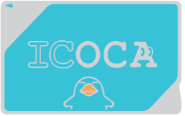

Key Differences Among These Cards
While all four cards work nationwide for basic trains, buses, and shopping, the "Key Differences" come down to which company manages your money and what "perks" you can access.Let's distill this down to the absolute key differences beyond just their regions and mascots.
1. Digital & Mobile Integration
If you have an iPhone or a Japan-compatible Android.You can add Suica, PASMO, or ICOCA directly to your phone wallet without a physical card.
- Suica & PASMO: The "gold standard" for mobile. Both are deeply integrated into Apple Wallet. Suica is generally considered the most stable for international credit card top-ups.
-
ICOCA: Now fully available on Apple Wallet and Android. It is a great alternative if your credit card has trouble loading a Suica. ICOCA is often favored by digital users lately because its app interface is slightly more modern than the legacy Suica app.
-
Sugoca: New for 2027! Mobile Sugoca is currently rolling out. Historically, Sugoca has been the "physical card only" laggard, but it is finally joining the mobile ecosystem via the JR West/Kyushu shared platform.
2. The "Home Base" (Refunds & Issues)
This is the most practical difference. You can only resolve technical issues or get a refund for your ¥500 deposit in the card's "Home Region."And you will be charged the ¥220 fee on top of the normal refund deduction.
-
Suica: Managed by JR East (Tokyo, Tohoku). Refund at JR East stations only.
-
PASMO: Managed by Tokyo Metro/Private Rails (Tokyo). Refund at Subway/Private stations only.
-
ICOCA: Managed by JR West (Osaka, Kyoto, Hiroshima). Refund at JR West stations only.
-
Sugoca: Managed by JR Kyushu (Fukuoka, Kumamoto). Refund at JR Kyushu stations only.
3. The "Welcome Suica" (The Tourist Special)
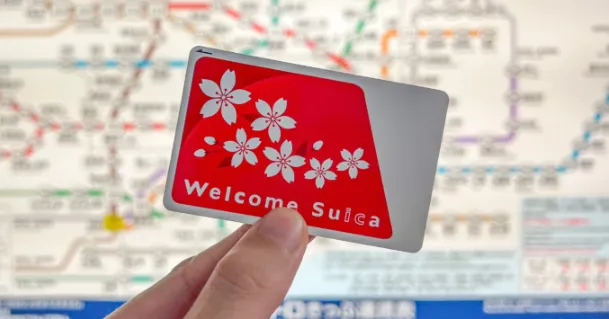
A good "no-hassle" option for short trips if you don't want to deal with a refund.Because of global chip shortages in previous years, JR East heavily promoted the Welcome Suica.The Welcome Suica is a prepaid, rechargeable IC card for short-term foreign visitors to Japan, offering easy tap-and-go payments for trains, buses, and shopping at places displaying the Suica logo, without requiring a deposit, but it expires in 28 days (or longer for specific types) and any leftover balance is non-refundable. It's a convenient alternative to paper tickets and cash for tourists exploring areas like Tokyo and beyond, with a mobile version also available on iPhones.
-
Pros: No 500 yen deposit; cool cherry blossom design you can keep as a souvenir.
-
Cons: Expires in 28 days and No Refunds for remaining balance.
-
2026 Update: As of 2026, the digital Welcome Suica App is the primary way for tourists to get started immediately upon landing.
4. Reward Points (For Frequent Users)
If you are just visiting for a week, this won't matter. But for long-term stays:
-
Suica: Earns JRE Points. You get points for riding JR East trains and shopping at "NewDays" convenience stores.
-
ICOCA: Earns WESTER Points. Known for better "Off-Peak" rewards in the Osaka/Kyoto area.
-
PASMO: Earns points on specific subway lines (like the Tokyo Metro "Metpo" system), but usually requires a separate registration.
⚠️Important "Golden Rules"
-
Note on Shinkansen: None of these cards can be used to simply "tap" through to a Bullet Train (Shinkansen) unless you have specifically linked them to a digital ticket via the SmartEX or Ekinet apps. You still need a separate ticket for long-distance high-speed travel.
-
The "Cross-Area" Rule: You cannot use an IC card to travel between regions. For example, you cannot tap in at Tokyo Station and tap out at Osaka Station. For long-distance travel, buy a Shinkansen ticket.
-
One Card Per Person: You cannot tap one card for multiple people at the gate.
🔔The Short Answer (How to Choose):
-
If you're flying into/to out of Tokyo (Haneda or Narita): Get a Suica or PASMO. They are functionally identical in the Tokyo region.
-
If you're flying into/to out of Osaka, Kyoto, Kobe (Kansai region): Get an ICOCA.
-
If you're flying into/to out of Fukuoka (Kyushu): Get a SUGOCA.
-
If you have an iPhone: Add a digital Suica or PASMO to your Apple Wallet before you go. This is the most convenient option.
|
If you are... |
Get this card: |
|
Arriving in Tokyo (iPhone user) |
Welcome Suica Mobile App (Set up before arrival). |
|
Arriving in Tokyo (Android/Plastic) |
Welcome Suica or PASMO at Haneda/Narita. |
|
Arriving in Osaka/Kyoto |
ICOCA (Physical or add to Apple Wallet). |
|
Arriving in Fukuoka |
SUGOCA at the airport or JR Hakata station. |
Truly, you can use ANY of them anywhere. If you get a Suica in Tokyo and travel to Osaka or Hiroshima, it will work on trains, buses, and subways there.
Setup Guide: Turning Your Phone into an IC Card
Device Requirements
✅ iPhone
-
iPhone 8 or newer
-
iOS 16+ recommended
-
Apple Wallet supported
-
Any region iPhone works
✅ Android
-
Android with FeliCa NFC (Japan-style NFC)
-
Usually Japanese models or selected global models
-
Google Wallet installed
⚠️Many non-Japan Android phones do not support Mobile Suica properly. If unsure: iPhone is the safest option.
For iPhone Users (The Easiest Method)
All iPhones (8 or later) sold anywhere in the world have the necessary hardware (FeliCa) to work in Japan. You do not need to buy a physical card first.
-
Open Apple Wallet: Tap the + icon in the top-right corner.
-
Select Transit Card: Scroll down and choose Suica, PASMO, or ICOCA.
-
Top Up: Select the amount you want to load (e.g., ¥1,000).
-
Express Mode: Once added, your phone will automatically enable "Express Mode." This means you don't have to wake your phone or use FaceID/TouchID—just tap the top of your phone against the gate reader.
‼️Tip: Mastercard and American Express usually work best. Some foreign Visa cards may still fail due to security protocols; if yours fails, try a different card brand.
The "Welcome Suica Mobile" App (iOS Only)
If you want an English interface and tourist-specific features:
-
Download the Welcome Suica Mobile app from the App Store.
-
Follow the English prompts to issue a new digital card.
-
It will automatically be added to your Apple Wallet. This card is valid for 180 days (unlike the 28-day physical version).
For Android Users (The Hardware Hurdle)
Unlike iPhones, most Android phones purchased outside of Japan do not have the specialized "Osaifu-Keitai" (FeliCa) chip required for Japanese transit.
-
If you have a Global Android (Samsung, Pixel, etc. from outside Japan): You generally cannot use Mobile Suica/PASMO. Your phone lacks the hardware. You must use a physical card.
-
If you have a Japanese-market Android: 1. Download the Google Wallet app. 2. Tap Add to Wallet > Transit Card. 3. Select Suica or PASMO and follow the prompts.
-
The "Workaround": If you have a Google Pixel (6 or later), there are complex "rooting" hacks available online to enable FeliCa, but these are technical and may void your warranty. For most travelers, a physical card is much more reliable.
How to Reload (Top Up) Your Phone?
If your credit card doesn't work in the app, or you are on Android and can't use the digital version, here is how you handle money:
-
Digital Cards: Top up directly in the Apple/Google Wallet app.
-
Cash Backup (iPhone & Android): You can load a digital card with cash! Look for 7-Bank ATMs (in 7-Eleven) or specialized "IC" machines at major train stations that have a "tray" or "cradle" for your phone instead of a card slot.
-
Convenience Stores: You can ask any clerk: "Suica charge, onegaishimasu" and pay with cash.
‼️Pro-Tips:
-
Nightly Maintenance: Between 1:00 AM and 5:00 AM JST, you cannot top up your digital card due to system maintenance. Ensure you have enough balance before you head out for a late night.
-
Watch Out for "Battery Dead": On iPhones, a small "power reserve" allows your Suica to work for a few hours even after your phone battery dies—but don't rely on it!
-
One Card, One Device: You cannot have the same Suica on both your iPhone and Apple Watch simultaneously. You must "move" it between them in the Watch app.