Getting around Japan is much easier when you have the right transit card in hand, and Nimoca is one of the most convenient options in Kyushu and beyond. Designed for smooth travel and cashless payments, this smart card lets visitors move between trains, buses, and even shops without dealing with loose change or ticket machines.In this guide, you’ll discover everything you need to know about Nimoca, from where to obtain it and how it works to adding balance and getting your money back when your trip ends. Whether you’re visiting Fukuoka, Nagasaki, or other parts of Kyushu, this article helps you travel smarter and stress-free.
What is the Nimoca Card?
The Nimoca card (stylized as nimoca) is a rechargeable, contactless smart card used primarily for public transportation and shopping in Japan.Introduced in 2008 by the Nishi-Nippon Railroad (Nishitetsu), it is the primary IC card for the Fukuoka prefecture and parts of Kyushu. Its name is an acronym for "Nice Money Card," and it also plays on the Japanese word nimo ("also"), implying it can be used for "buses also, trains also, and shopping also."
1. Where Can You Use It?
Since 2013, Nimoca is part of Japan’s nationwide IC card interoperability network, meaning it can be used in most major cities across Japan (Tokyo, Osaka, Kyoto, Sapporo, etc.) for transport and shopping. Likewise, you can use Suica, Icoca, etc., in Fukuoka on Nishitetsu lines.
1) Transportation
🚆Trains:
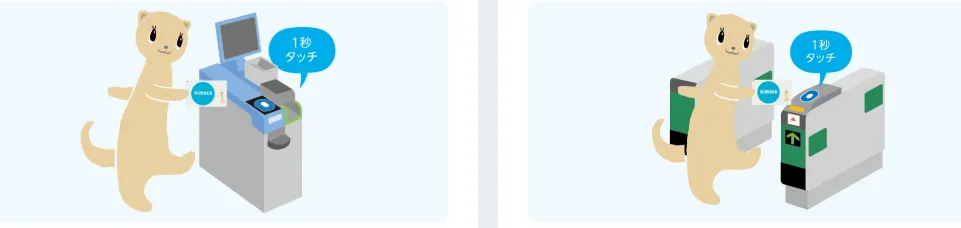
Just tap the card on the reader at the ticket gate when entering and exiting.
-
Fares are deducted automatically from your balance.
-
If balance is below the minimum (usually ¥10), you’ll need to recharge first.
🚌Buses:
Tap when boarding and/or exiting — depending on the bus system.
-
On some buses, you may need to tap only when boarding.
-
If you don’t have enough balance, you can pay the difference in cash.
📍Nimoca works on many lines including:
-
Nishitetsu rail lines (e.g., Tenjin Ōmuta Line)
-
Nishitetsu buses & group buses
-
Some regional buses like Showa Bus and others
-
Also compatible with other major IC cards nationwide (Suica, Pasmo, ICOCA, etc.) on trains, buses, and subways across Japan.
2) Shopping & Services
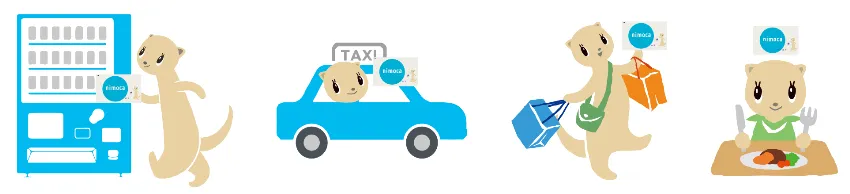
When you see the nimoca mark at a store/vending machine:
-
Tap to pay directly from your nimoca balance like a digital wallet.
-
Works at many convenience stores, supermarkets, shopping complexes, and vending machines in the area.
📍Nimoca works on many places including:
-
Convenience stores: FamilyMart, Lawson, Mini Stop (some)
-
Supermarkets: Nishitetsu Store, other participating stores
-
Vending machines (with IC logo)
-
Restaurants, cafes, fast food chains
-
Taxis with IC readers
-
Lockers at stations
Interoperability means stores that accept Suica, PASMO, ICOCA, manaca, Kitaca, SUGOCA, or Hayakaken also usually accept nimoca payment.
3) Nimoca Points
Unlike Suica or Pasmo, nimoca has a robust Point System that rewards frequent users:
-
Fixed Points: Earn points based on the fare spent on Nishitetsu buses and trains.
-
Bonus Points: Earned for high monthly usage.
-
Shopping Points: Earned at participating "nimoca point" stores (look for the mascot ferret logo).
-
Redemption: 1 point = ¥1. You must "exchange" your points for electronic money at a nimoca point machine (found in major stations) to add the value back to your card balance.
🔺Summary — What You Can Do With Nimoca:
|
Feature |
What It Means |
|
Transit Payment |
Pay bus/train fares by tapping |
|
Electronic Money |
Shop & pay with balance |
|
Rechargeable |
Reload up to ¥20,000 |
|
Commuter Pass |
Can add pass function |
|
Point Rewards |
Earn points on use |
|
Interoperable Nationwide |
Works with major IC systems |
2. Types of Nimoca Cards
There are three main versions depending on your needs:
-
Standard Nimoca: A basic, anonymous card. Anyone can buy and use it immediately.
-
Star Nimoca: A registered card. It requires your name and info, but if you lose it, the balance can be recovered. It also allows you to earn points at participating shops.
-
Credit Nimoca: Combined with a credit card, allowing for "auto-charge" (it tops up automatically when your balance is low).
All cards can optionally have a commuter pass function added for regular travel.
|
Type |
Price (Initial) |
Features |
Points When Shopping |
Best For |
|
|
¥500 deposit + charge |
|
❌ |
Tourists, occasional users |
|
|
¥500 deposit + charge |
|
✔️ |
Regular commuters |
|
|
Depending on card type |
|
✔️ |
Residents, commuters, and frequent visitors in the Fukuoka Prefecture and Kyushu region who use Nishitetsu trains/buses and want to earn rewards |
|
Specialized Fare Cards |
These are for specific passenger categories and usually require ID verification at a ticket counter:
|
|||
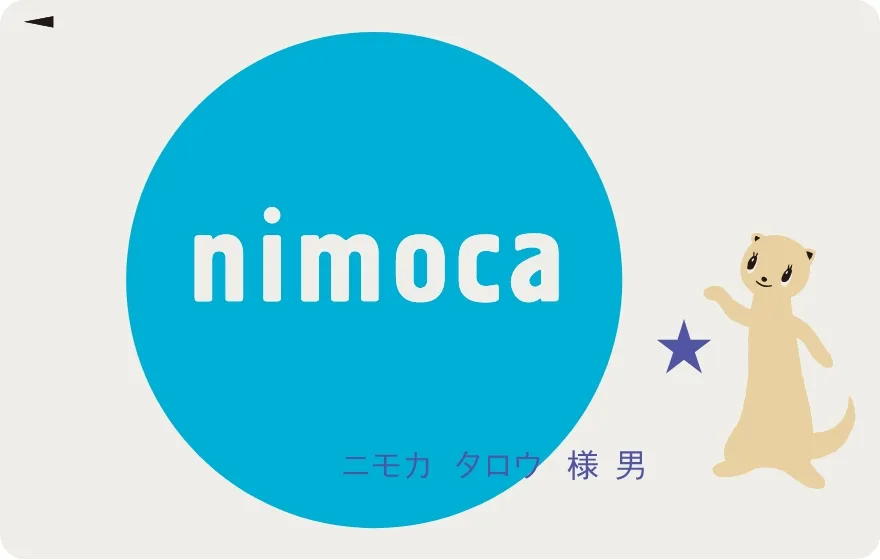
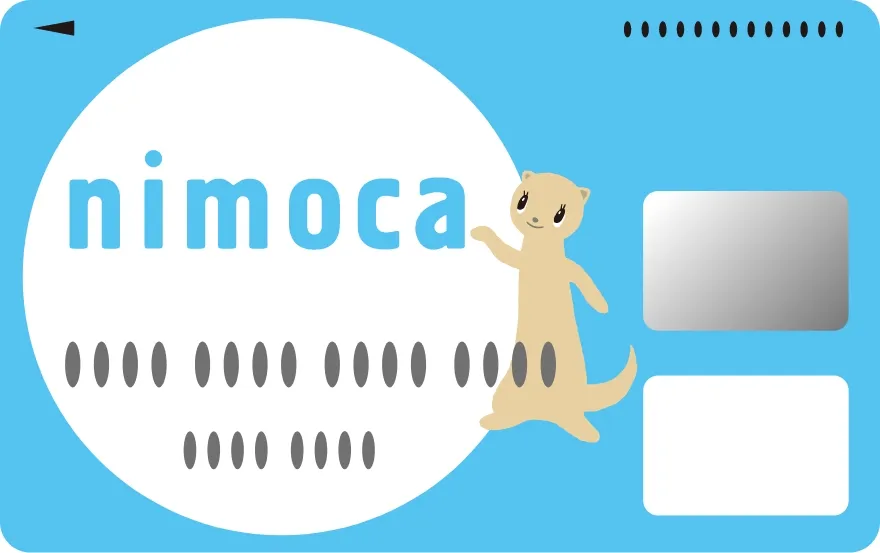
Nishitetsu occasionally releases cards with special artwork for anniversaries, local festivals (like the Hakata Gion Yamakasa), or collaborations with anime and sports teams. These are functionally identical to the Standard nimoca but are highly collectible.
⚠️Note: The ¥500 deposit is refundable when you return the card.
🔺Summary: Which should you get?
-
If you are just visiting for a week: Get the Standard nimoca. It’s the fastest to buy at any machine.
-
If you are staying for a month or longer: Get the Star nimoca. The ability to lock the card and recover your balance if you lose it is worth the 5 minutes of registration.
How to Get a Nimoca Card?
1. Buy a Standard or Star Nimoca Card
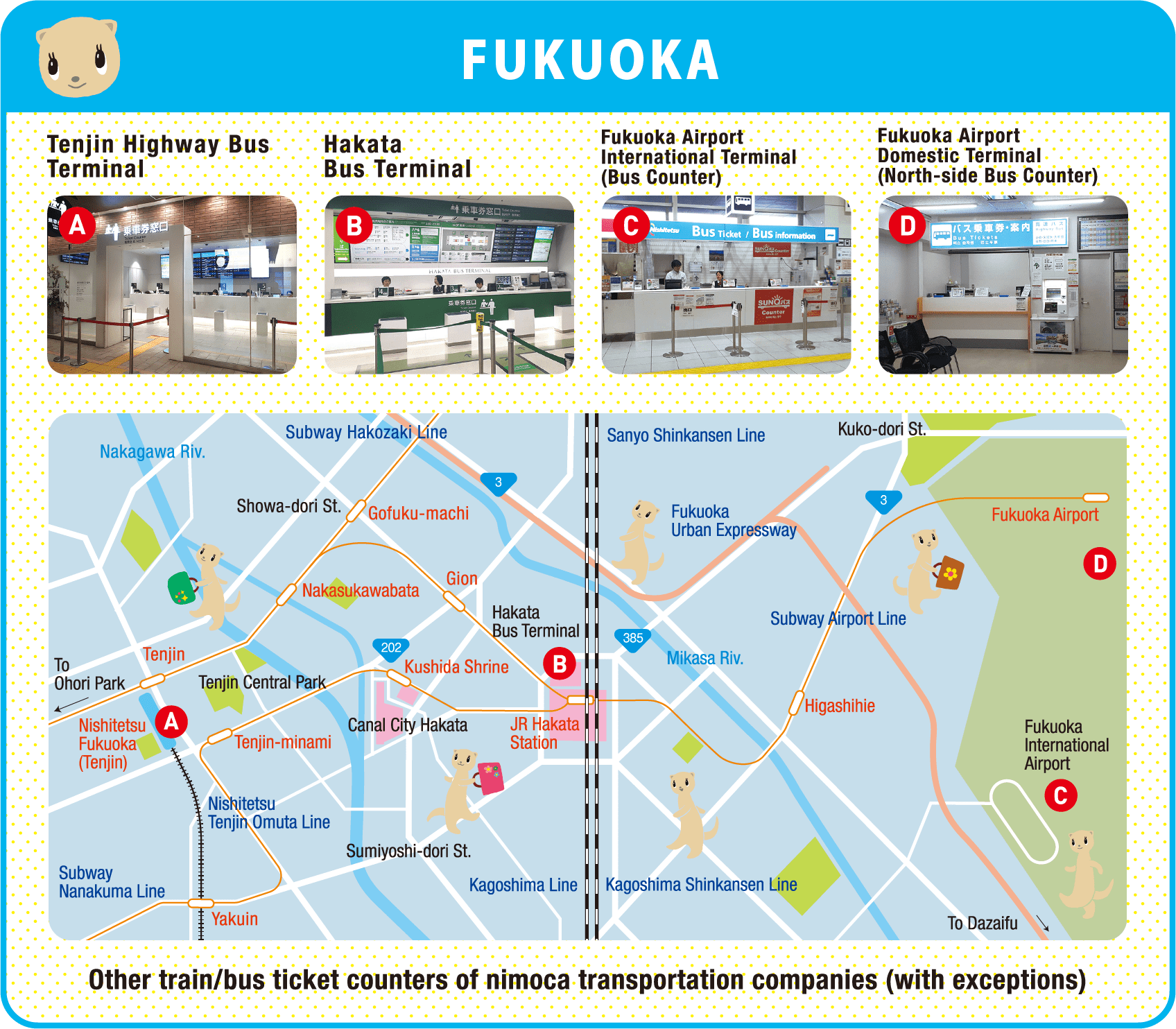
You can buy a Nimoca (standard prepaid) or Star Nimoca (registered, re-issuable) in many locations across Fukuoka, Kyushu, and even some other regions:
-
Train station ticket offices (Nishitetsu and partner operators)
-
Station ticket machines (where you see nimoca icons)
-
Bus terminals and sales counters
-
Bus company offices (e.g., Nishitetsu Bus counters)
-
nimoca service counters in major hubs
-
In some areas, even at convenience stores and limited service points for basic card sales (especially in Kyushu).
|
Fukuoka |
|
|
Kitakyushu |
nimoca Counter (Sunatsu・Kurosaki) |
|
Oita |
|
|
Kumamoto |
|
|
Saga |
|
|
Miyazaki |
|
|
Nagasaki |
|
|
Yamaguchi |
Shimonoseki Sea Mall Ticket Sales Counter |
|
Hakodate(Hokkaido) |
|
👉When purchased, the card typically costs around ¥2,000, which includes a ¥500 refundable deposit + about ¥1,500 of stored value ready to use.
Option A: Buying from a Ticket Counter (Easiest for Tourists)
-
Go to a manned ticket counter at any major Nishitetsu station.
-
Say: “Nimoca onegaishimasu” (ニモカをお願いします).
-
Choose your initial charge amount. The staff will usually ask how much you want to put on the card.
-
Example: “Sen-en de onegaishimasu” = “Please charge ¥1,000.”
-
-
Pay the total amount = ¥500 deposit + your chosen charge amount.
-
Example: If you want ¥1,000 on the card, you’ll pay ¥1,500 total.
-
-
Receive your card and a receipt. It’s ready to use immediately.
Option B: Buying from a Vending Machine
-
Find a ticket machine at a Nishitetsu station with the Nimoca logo.
-
Look for the button that says “ICカード” or “ニモカ”.
-
Select “新規購入” (new purchase).
-
Choose your charge amount (e.g., ¥1,000, ¥2,000, etc.).
-
Insert cash — the machine will automatically add the ¥500 deposit.
-
Collect your card from the slot.
⚠️Note: Vending machines usually sell only the Regular (anonymous) Nimoca.
If you're visiting Kyushu and landing at Fukuoka Airport, you can sometimes pick up a nimoca card right in the terminal:
-
International Terminal: Visit the HIS Counter (1st Floor) or the Nishitetsu Bus Ticket Counter. You can also find charging stations here to top up immediately.
-
Domestic Terminal: Available at the Nishitetsu Bus Terminal and ticket machines near the arrival gates.
2. Apply for a Credit Nimoca Card
If you want credit card integration (auto-charge and extra rewards), you must apply through a credit card issuer rather than buy it at a station:
🔹 Steps:
-
Apply online on the credit card company’s application page (links are on the Nimoca official site).
-
Wait for the card to be issued and delivered to your address.
-
Once received, sign it and use it like a normal nimoca.
🔔Important Tips for Tourists:
-
Start with ¥1,000–2,000 loaded. You can always add more later.
-
Keep the receipt until you understand the refund policy.
-
Write down your card number somewhere separate in case you lose the card.
Unlike Suica or ICOCA, which can be easily added to Apple Wallet or Google Pay directly from the phone's settings, Nimoca does not currently have a standalone native mobile card for international phones.If you have an iPhone, you can add a Suica, PASMO, or ICOCA to your Apple Wallet. These cards work exactly like Nimoca on all Fukuoka buses and trains. Use this option if you want to skip physical cards entirely.
Topping up Nimoca
1. Ways to Top Up Nimoca
Topping up your Nimoca card is quick and can be done at several locations across Japan. Keep in mind that for physical cards, cash is king—you generally cannot top up a physical IC card using a credit card at a machine.
1) At Train Stations (Most Common)
Look for any ticket machine with the nimoca ferret or the "IC" logo.
-
The Process:
-
Select English on the touch screen.
-
Insert your nimoca card into the designated slot.
-
Select the "Charge" (Topping Up) button. 4. Choose the amount (usually in increments of 1,000 yen, though some machines allow 500 yen).
-
Insert your cash.
-
The card will pop back out with the new balance.
-
2) At Convenience Stores (Anywhere in Japan)
Since Nimoca is part of the nationwide network, you can top it up at almost any 7-Eleven, Lawson, FamilyMart, or Ministop in Japan.
-
At the Register: Tell the clerk, "IC Card Charge, kudasai" and show them your card. They will ask you to select the amount on the customer screen and then touch your card to the reader.
-
At 7-Bank ATMs: You can also use the ATMs inside 7-Eleven. Select "Charge IC Card" on the ATM screen, place your card in the reader tray, and follow the prompts.
3) On the Bus (Kyushu Region)
If you are in Fukuoka or elsewhere in Kyushu, you can top up directly on the bus.
-
The Process: Only do this when the bus is stopped (at a bus stop or a red light). Ask the driver, "Charge, kudasai."
-
The Limit: Drivers usually only accept 1,000 yen bills. They cannot provide change for 5,000 or 10,000 yen notes, so have small bills ready.
4) Automatic & Quick Charge (for Credit Nimoca Cards)
If you have a Credit nimoca (credit card + nimoca combo):
-
Auto-charge: Automatically adds money when your balance drops below a set amount (e.g., ¥1,000), up to your preset limit.
-
Quick charge: Lets you use your credit portion to add money (e.g., at kiosks or point machines) without cash.
These features are not available on unregistered standard nimoca cards.
>>What is the Automatic Charge
2. Charge Amounts
-
Minimum: ¥1,000
-
Maximum: ¥20,000 per card
-
Increments of ¥1,000
Refund Policy
Getting a refund for your Nimoca card involves a few specific rules, mainly because it is issued by the Nishitetsu company. If you are leaving Japan from a city other than Fukuoka, you'll need to plan ahead.
1. The Golden Rule of Refunds
You can only refund a nimoca card at a Nishitetsu service counter.You cannot refund a nimoca card in Tokyo, Osaka, or at a JR Hakata station counter. It must be a Nishitetsu-operated location (usually found in Fukuoka and other parts of Kyushu).
2. Refund Locations in Fukuoka
The most convenient spots for travelers are:
-
Hakata Bus Terminal: 3rd Floor (Commuter Pass Window).
-
Nishitetsu Tenjin Expressway Bus Terminal: Located in the Solaria Terminal Building.
-
Nishitetsu Fukuoka (Tenjin) Station: The North Exit ticket office.
-
Fukuoka Airport: While there is no dedicated "nimoca office" in the terminals, you can sometimes process refunds at the Nishitetsu Bus Ticket Counter in the International Arrival hall.
3. The Refund Calculation
Japan uses a specific "handling fee" system for IC card refunds.
-
Handling Fee: 220 yen.
-
Refund Formula: (Remaining Balance - 220 yen) + 500 yen Deposit.
|
If your balance is... |
You get back... |
|
1,000 yen |
780 yen (balance) + 500 yen (deposit) = 1,280 yen |
|
100 yen |
0 yen (balance) + 500 yen (deposit) = 500 yen |
|
0 yen |
0 yen (balance) + 500 yen (deposit) = 500 yen |
🔔The "Zero Balance" Hack: If your balance is 0 yen, the 220 yen fee is waived. You will receive your full 500 yen deposit back. To do this, go to a convenience store (like Lawson or 7-Eleven) and tell the clerk you want to pay with your nimoca card. If the balance isn't enough, you can pay the remaining amount in cash. Once the card is empty, take it to the counter for a clean 500 yen refund.
If you are flying out of Tokyo or Osaka and forgot to refund your card in Fukuoka, you have two choices:
-
Keep it: The card is valid for 10 years from the last use. You can use it again on your next trip or lend it to a friend.
-
Spend it: Use the remaining balance at airport convenience stores or vending machines. You won't get the 500 yen deposit back, but you won't "waste" the balance.
Special Features & Services
Monthly Pass Integration:
-
Personal Nimoca can store commuter passes
-
Automatic calculation of fares beyond pass zone
Lost Card Protection (Personal Nimoca only):
-
Report loss to block card
-
Balance transfer to new card (fee applies)
-
Cost: ¥500 for reissue
-
Check balance and usage history
-
Register for auto-charge
-
Manage multiple cards (family)
Student/Employee Discounts:
-
Special cards for university students
-
Corporate commuter plans
General Questions (Q & A)
Here are the most frequently asked questions about the Nimoca card to help you navigate your trip like a local.
1. Can I use nimoca in Tokyo, Osaka, or Kyoto?
Yes. Nimoca is part of the "Nationwide Mutual Usage" network. It works perfectly for subways, buses, and JR trains in almost every major Japanese city. If you see a Suica or ICOCA logo, your nimoca will work there too.
2. Can I use nimoca for the Shinkansen (Bullet Train)?
Not directly by tapping. You cannot simply tap your nimoca balance to board a Shinkansen.
-
The Workaround: You can register your nimoca card on the SmartEX website/app. Once registered, you buy your ticket on the app, and your nimoca card then acts as your "digital key" to open the Shinkansen gates.
3. Does nimoca work on Apple Wallet or Google Pay?
No. Unlike Suica or ICOCA, there is no official "Mobile nimoca" for international phones.
-
If you want a mobile card: You can add a Suica or ICOCA directly to your iPhone's Apple Wallet. These digital cards work in Fukuoka exactly like a physical nimoca does.
4. How do I check my balance on my phone?
Since there is no official Apple Wallet integration, you can't see the balance in your "Settings." However, you can download NFC reader apps (like "Japan Train Rewards" or "IC Card Reader") that allow you to scan the physical card with your phone to see your remaining balance and recent travel history.
5. What happens if my balance is too low at the exit gate?
Don't panic! Look for a Fare Adjustment Machine (usually yellow or labeled "Norikoshi") inside the gates near the exit. Insert your card, pay the difference in cash, and the machine will validate your card so you can exit.
6. Do nimoca cards expire?
Yes, but not for a long time. A nimoca card expires 10 years after its last use. If you plan to return to Japan within a decade, you can just take it home as a souvenir and use it again next time.
7. Can I use one card for two people?
No. Every passenger must have their own card to tap in and out.
-
Exception: On buses, you can tell the driver "Two people, please" before you tap. They will manually adjust the reader so you can tap once for both fares. This does not work at train station gates.
8. Can I use Nimoca to pay for taxi?
Yes, if the taxi has an IC card reader (increasingly common in Fukuoka). Just ask "ICカード使えますか?" (IC kaado tsukaemasu ka?)
9. What if I forget to tap when getting off a bus?
You'll be charged the maximum fare for that route. No way to reverse it, so always remember to tap off!
10. Is Nimoca cheaper than buying single tickets?
Slightly yes - you get small discounts (about 5-10% depending on route) compared to cash fares on buses and trains.
11. Are there any tourist discounts with Nimoca?
Occasionally, but not consistent. Check Nishitetsu website for limited-time promotions. Better tourist discounts usually come with Fukuoka Tourist City Pass (sold separately).
12. Can I use Nimoca for airport bus?
Yes! Nimoca works on the Nishitetsu airport buses between Fukuoka Airport and Hakata/Tenjin. Just tap when boarding.