Booking your Shinkansen (bullet train) tickets online in advance is highly recommended, especially if you are traveling during peak seasons (like Cherry Blossom season, Golden Week, or New Year's) or if you have oversized baggage.Because Japan's railway system is split into regional companies, each operating its own booking platform. To make this process straightforward, I have put together a comprehensive, step-by-step guide to booking Shinkansen tickets online. This guide breaks down the official platforms based on your travel route, details how to use ticketless options, and shares troubleshooting tips for foreign credit cards.
Identify Your Booking Platform
There are several ways to book Shinkansen tickets online. Your choice depends on your route and preference.
Option A: Official JR Platforms
Using official sites protects you from extra markups or middleman fees. Check which route matches your trip:
|
Platform |
Region / Route |
Coverage |
Booking Window |
|
SmartEX (Website or App) |
The "Golden Route" (East, Central, & West) |
Tokaido, Sanyo, and Kyushu Shinkansen lines (Tokyo–Osaka–Hakata–Kagoshima) |
Up to 1 year in advance |
|
Eastern & Northern Japan |
Tohoku, Hokkaido, Joetsu, Hokuriku |
30 days in advance |
|
|
Western Japan Only |
Sanyo and Hokuriku Shinkansen |
Varies |
1. SmartEX (Website or App)
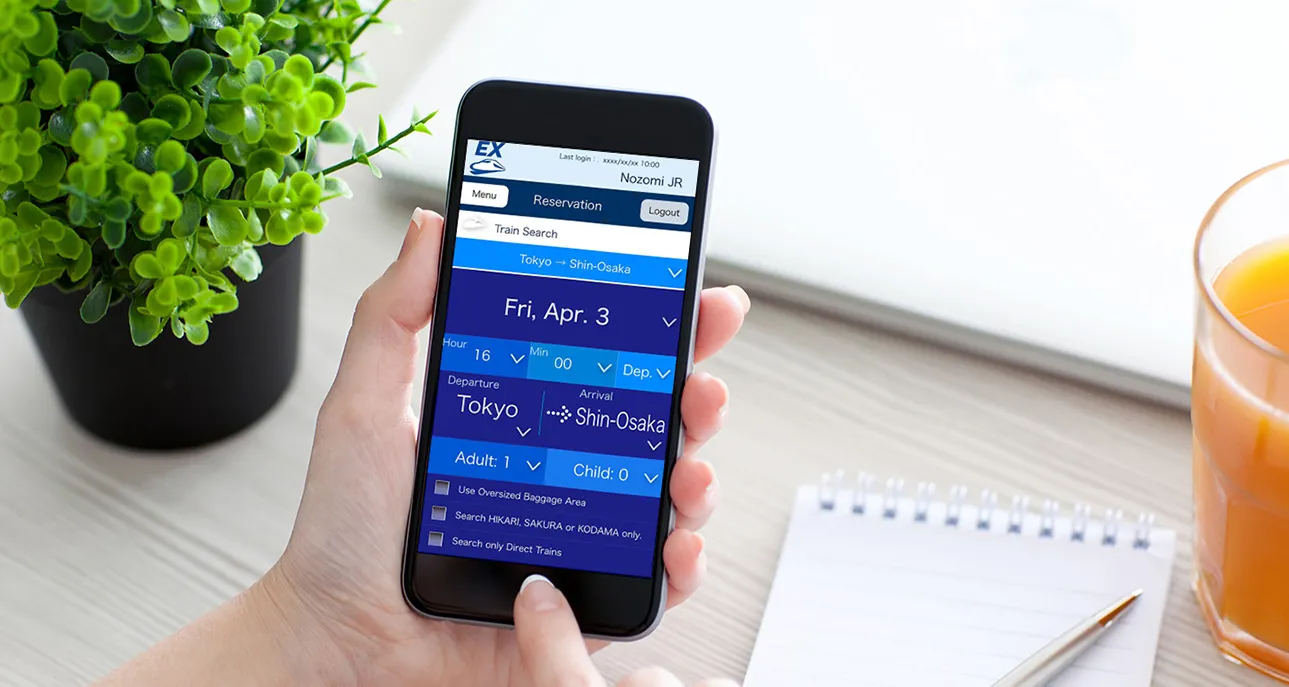
SmartEX is the most widely used official platform, available worldwide via website (smart-ex.jp) with an English interface. It allows you to reserve and pay for tickets before visiting Japan.
-
Routes: Tokyo ↔ Nagoya ↔ Kyoto ↔ Osaka ↔ Hiroshima ↔ Hakata (Fukuoka) ↔ Kumamoto ↔ Kagoshima.
-
Official Platform: smartEX (Website or Mobile App)
-
Best Features:
-
You can book up to a year in advance for some fares (regular reservations open 1 month in advance).
-
Direct seat selection.
-
Allows you to link your ticket to a digital IC Card (like Apple Wallet Suica or PASMO) for completely ticketless boarding.
-
2. JR-East Train Reservation
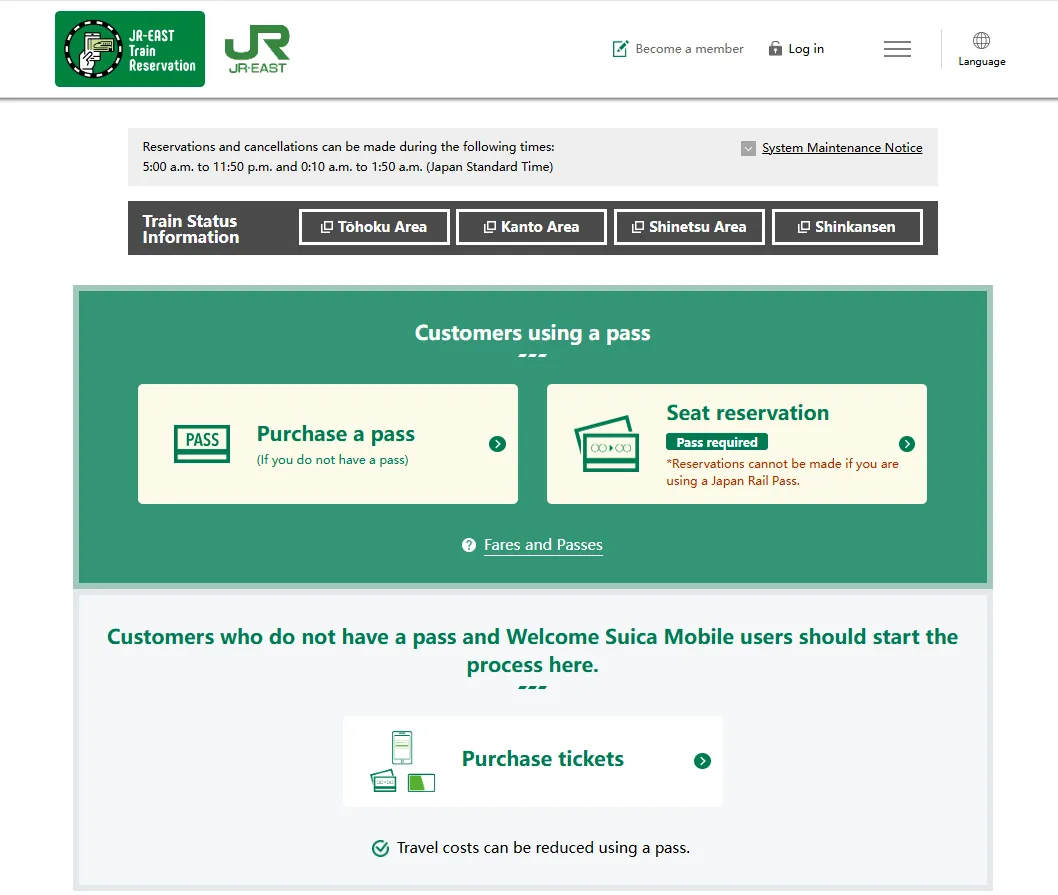
JR-East Train Reservation is the official online booking website operated by the East Japan Railway Company (JR East). If your travel plans include Tokyo, Mount Fuji, the alpine regions of Nagano and Niigata, or heading up north into the beautiful Tohoku region and Hokkaido, this is the portal you will use to secure your transit.
-
Routes: Tokyo ↔ Nagano ↔ Kanazawa ↔ Niigata ↔ Yamagata ↔ Akita ↔ Sendai ↔ Hokkaido.
-
Best Features:
-
Excellent for regional JR passes (e.g., JR East Pass).
-
Offers "Shinkansen e-ticket" services which link directly to your IC Card.
-
3. JR-West Online Train Reservation
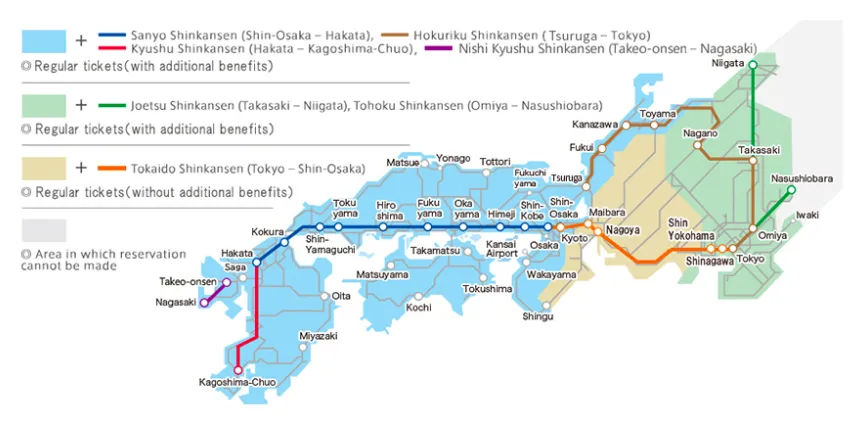
JR-West Online Train Reservation is the official digital booking platform run by the West Japan Railway Company (JR West). Think of it as the ultimate transport portal if your Japanese itinerary focuses heavily on regions west or north of Osaka. While platforms like smartEX exclusively cover the main Shinkansen line running from Tokyo down to Fukuoka, the JR-WEST system covers standard Shinkansen tickets plus regional trains and heavily discounted tourist passes.
-
Routes: Travel strictly within western Japan (e.g., Osaka ↔ Hiroshima ↔ Hakata) or Hokuriku regions.
-
Best Features:
-
Convenient if you are starting your trip in Osaka or Kyoto.
-
Note: Physical tickets must generally be picked up at JR West ticket machines (marked with a specific symbol) using your reservation details and the physical credit card used for purchase.
-
Option B: Third-Party Platforms (User-Friendly Alternative)
You can avoid the hurdles of Japan’s railway websites and go to the middleman instead. There are many positives of choosing this option: multi-language support, accepts almost all major international credit cards and alternative payments (Apple Pay, PayPal, etc.). However, these third-party platforms may charge service fees, while official JR websites are commission-free.
-
KKday – Offers a simpler interface, customer support, USD payment options, and booking up to 120 days in advance
-
Klook – Easy QR-code-based booking with a few taps
-
Trip.com – Partners with JR companies for nationwide ticket sales
💡 A Note on Credit Cards: Japan's official railway sites require credit cards that support 3D-Secure authentication. If your card gets rejected (a common issue for foreign travelers on smartEX), try another card or use an official global partner like Klook, which accepts nearly all foreign cards and issues a simple QR code for ticket pickup.
Step-by-Step Booking Process (Using smartEX)
Since smartEX is the most widely used service for tourists traveling between Tokyo, Kyoto, and Osaka, here is how to book on it:
Step 1: Account Creation & Setup
-
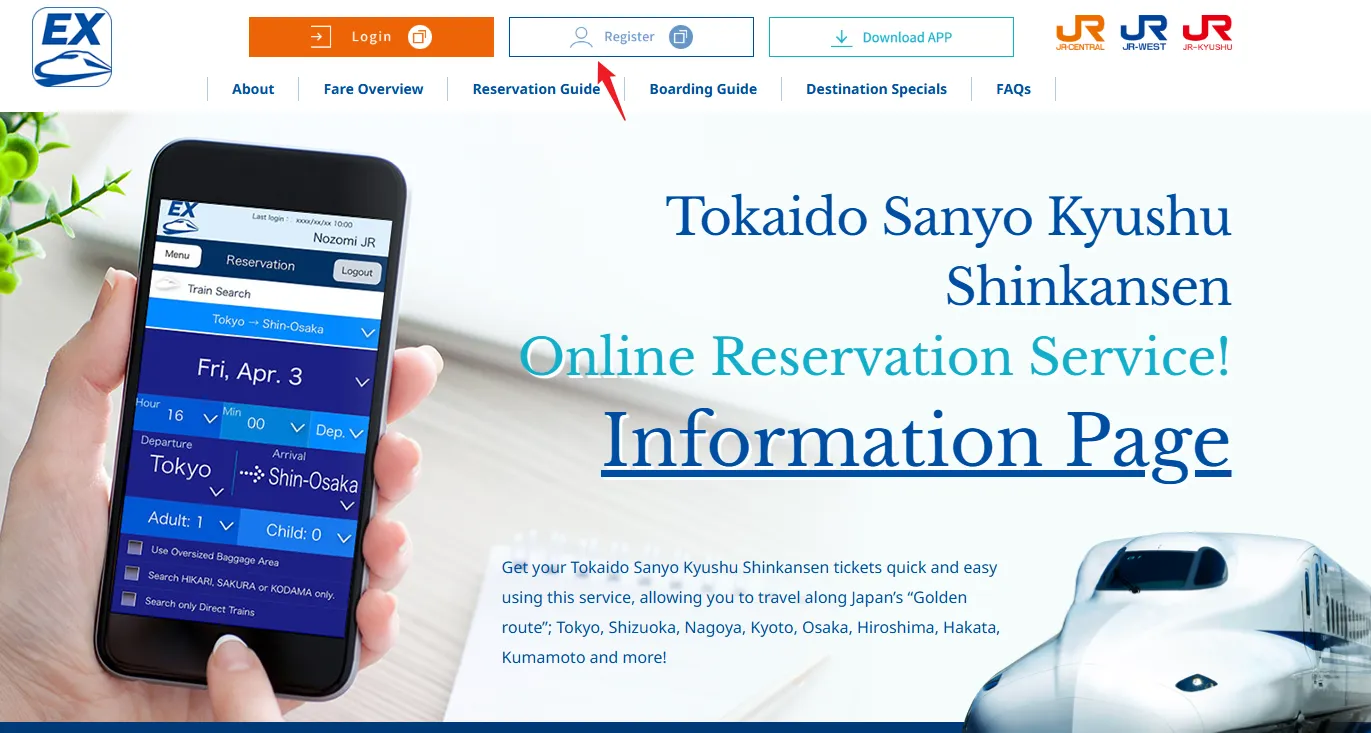
Download the smartEX App (available in select international app stores) or visit the smartEX English website.
-
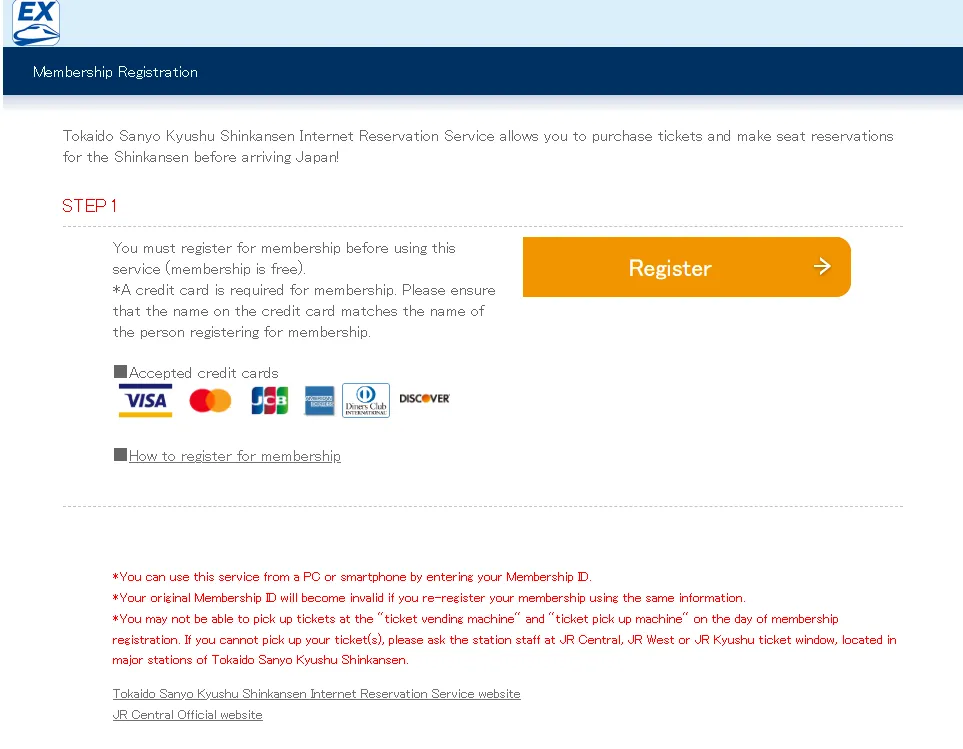
Register for a free membership. You will need to input a valid credit card.
-
Verify your account via email.
Step 2: Search for Trains
-
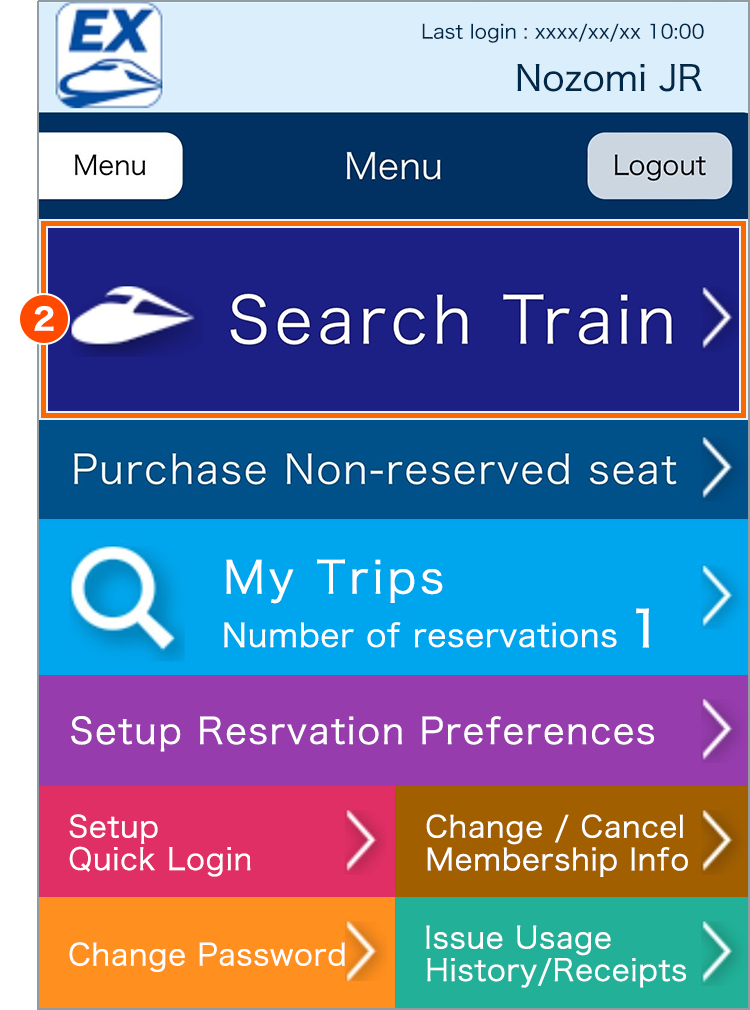
Select your departure and arrival stations, travel date, and preferred time.
-
Select the number of passengers.
-
Select your seat/car type preference:
-
Ordinary Car (Reserved Seat): Standard reserved seating. Highly recommended.
-
Ordinary Car (Non-Reserved Seat): Cheaper, but you are not guaranteed a seat (first-come, first-served in Cars 1–3).
-
Green Car: First-class seating with wider seats, more legroom, and a quieter cabin.
-
Seat with Oversized Baggage Area: Mandatory if your suitcase's total dimensions (Length + Width + Height) are between 160 cm and 250 cm.
-
Step 3: Choose Your Train and Seats
-
A list of available trains (e.g., Nozomi, Hikari, Kodama) will appear.
-
Tip: Nozomi is the fastest train, taking only 2 hours and 15 minutes between Tokyo and Kyoto.
-
-
Look for "Hayatoku" discounts if you are booking 3 to 28 days in advance.
-
Use the seat map to pick your exact seats. If traveling from Tokyo to Kyoto/Osaka, select Seats E (or D/E in Green Car) on the right side of the train for a chance to see Mt. Fuji!
Step 4: Complete the Payment
-
Review your reservation and pay with your registered credit card.
-
You will receive a 10-digit reservation ID and a QR code in your email/app.
💡 Optional but highly recommended: Register your 16-digit transit IC Card number (Suica, Pasmo, Icoca, etc.). This allows you to tap through the Shinkansen gates using your phone or physical IC card without printing a paper ticket.
Get Your Ticket – Pickup Options
Option A: QR Code E-Ticket (SmartEX only)
-
QR-Tickets can be displayed on your smartphone or added to Apple Wallet (iOS only).
-
Scan the QR code at the ticket gate to board.
Option B: Pick Up Physical Tickets at the Station
You'll need your pickup code (16 digits or QR code) and login password.
Where to pick up:
-
Ticket vending machines at major JR Central, JR West, and JR Kyushu stations.
-
JR East ticket machines in Tokyo ward area, Yokohama, Kawasaki, Odawara, and Atami.
-
Ticket counters at main stations.
Pickup timing:
-
Ticket machines: 3 days before boarding.
-
Ticket counters: 1 month before boarding.
At the machine:
-
Select "Pick up tickets".
-
Select "By pick-up code".
-
Enter your 16-digit pickup code and password.
-
Select the reservation and print.
⚠️ Important: Pick up your tickets before entering the ticket gates. You cannot exchange for paper tickets inside the gates.
How to Reserve Seats with a JR Pass?
If you are traveling with a Japan Rail Pass (JR Pass), making seat reservations is 100% free and highly recommended, especially if you have large luggage or are traveling during peak hours. However, how you book your seats depends entirely on where you bought your pass.
Option A: You bought it on the Official Website (japanrailpass.net)
-
The Perk: You can reserve seats online before you even arrive in Japan.
-
How: Log into the official JAPAN RAIL PASS Reservation website up to 30 days before your travel date, search for your trains, and pick your seats. You will pick up your physical seat tickets at the station when you pick up your pass.
Option B: You bought it from a Third-Party Agency (Klook, JTB, JRailPass.com, etc.)
-
The Rule: You cannot book seats online in advance. You must wait until you land in Japan, exchange your voucher for the physical rail pass, and then book your seats using one of the methods below.
Once you have your physical green/blue JR Pass in hand, you have two quick ways to secure your seats at any major station.
Method 1: At a Green Ticket Vending Machine (Fastest)
Most major JR stations have multi-lingual ticket machines equipped with scanners. You can use these to completely skip the ticket office lines.
-
Change the language to English. On the main screen, look for the button that says "Reserved Seat Ticket with Rail Pass" or "Select train to use now."
-
Insert or scan the QR code printed on your physical JR Pass. The machine will ask you to enter your passport number to verify ownership.
-
Enter your departure station, destination, date, and time. Select your preferred Shinkansen from the list.
-
The machine will display a seat map. Choose your preferred position (Window/Aisle). The machine will keep your pass safe and dispense a separate, small Reserved Seat Ticket.
Method 2: At the Ticket Office (Midori-no-Madoguchi)
If you have a complex itinerary, are traveling in a large group, or need a Seat with an Oversized Baggage Area, it is often easiest to speak to a human.
-
Find the staffed JR Ticket Office (marked by a green sign of a person reclining in a seat).
-
Show the agent your JR Pass and state your destination, date, and preferred time.
🔔 Tip: It helps to look up the train schedule on Google Maps or NAVITIME beforehand and simply show the agent a screenshot of the train you want.
How to Change or Cancel a Shinkansen Ticket?
If your travel plans change, modifying or canceling a Shinkansen ticket is relatively straightforward, but the rules tighten drastically the closer you get to your train's departure.
The process looks completely different depending on whether your tickets are still fully digital or if you have already printed them out at a station.
1. Changing Your Ticket (Dates, Times, or Seats)
As long as your train hasn't departed, you are allowed one free change to a ticket of the same category (or unlimited free changes if you booked online through SmartEX).
-
If you booked online (and HAVEN'T printed the ticket yet): Log back into the official platform (SmartEX, JR-East, or JR-West) where you bought it. You can modify your date, time, seat position, or train class completely free of charge right up until a few minutes before departure.
-
If you have already printed the physical paper tickets: Online modifications are locked. You must take your physical paper ticket to a staffed JR Ticket Office (Midori-no-Madoguchi) before the train departs. An agent can change your booking manually one time for free.
-
If you missed your train entirely: Once a train departs, a reserved seat ticket becomes legally invalid and cannot be changed or refunded. However, you can still board any later Shinkansen on the exact same day, but you will be restricted to the Non-Reserved (Jiyu-seki) cars.
2. Canceling Your Ticket for a Refund
If you want to cancel your trip altogether, you can get a refund minus a standard Japanese processing fee, provided you request it before departure.
If Booked Online (Unprinted Ticket)
Go to your booking portal and click "Refund" or "Cancel." The system will process a refund back to your credit card.
-
The Fees: If canceled early, the fee is incredibly small—usually just ¥220 to ¥340 per ticket. If you cancel at the very last minute (the day before or day of departure), some platforms may charge a fee equal to 30% of the ticket price.
If Holding a Physical Paper Ticket
You must hand your ticket to a human agent at a JR Ticket Office before the train leaves.
-
The Fees:
-
Up to 2 days before departure: A flat fee of ¥340 for the reservation + ¥220 for the basic fare.
-
1 day before, up until departure: A hefty 30% cancellation fee of the total ticket cost.
-
⚠️ Crucial Note: If you paid with a credit card, you must bring that exact physical credit card with you to the counter, or the agent cannot process the refund.
3. What if I booked with a JR Pass?
Because seat reservations made with a JR Pass are completely free, there are no cash penalties or cancellation fees for changes. However, out of courtesy to other travelers, you should release empty seats if you change your mind.
-
To Change a Seat: Simply go to a Green Ticket Vending machine or a staffed window, scan your JR Pass, and book a new train.
-
To Cancel a Seat: If you have the physical seat voucher ticket, hand it back to an agent at a JR window and tell them "Cancel, please" (Kanseru shite kudasai). This opens up the seat layout for other travelers.
Important Tips
-
Book early during peak seasons – Trains between Tokyo and Kyoto are often fully booked on weekends and during Golden Week (late April–early May)
-
No single nationwide English platform – Different JR regions operate separate booking systems. SmartEX covers central/western Japan, while JR East covers eastern/northern routes
-
Free changes – SmartEX allows unlimited free changes before boarding
-
JR Pass holders – If you have a Japan Rail Pass, you can reserve seats online through the official JR Pass website after purchasing your pass
-
Station pickup – All major JR stations have ticket machines with English language options
-
Mobile entry – Some platforms now allow QR code boarding without exchanging for paper tickets
-
Credit Card Rejections: Japanese payment gateways have extremely strict 3D-Secure protocols. If your Visa or Mastercard is rejected during registration, try using an American Express card, or attempt the payment via Apple Pay in the smartEX app. If all else fails, use a third-party platform like Klook.
-
Oversized Baggage: Baggage with total dimensions under 160 cm does not need a reservation and can easily fit on the overhead racks. Luggage over 250 cm is not permitted on the train.
-
Reservation Window: Standard train reservations open exactly 30 days prior to the departure date at 10:00 AM JST.
-
Changes & Refunds: On official platforms like smartEX, you can change your train time online for free as many times as you like up until 4 minutes before departure, provided you haven't printed your paper tickets yet.