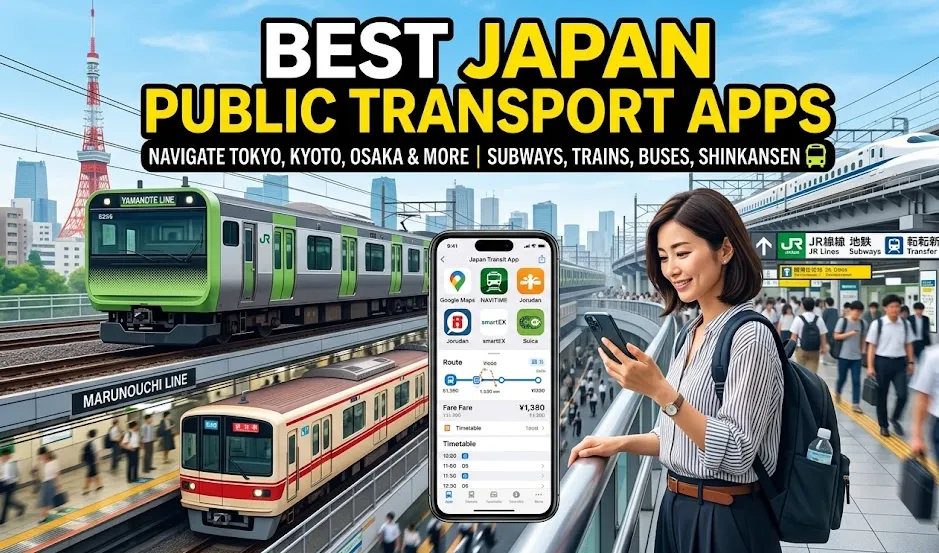
Japan’s rail network is famous for being fast, efficient, and incredibly punctual — but navigating stations, train lines, buses, and ticket systems can still feel overwhelming for first-time visitors. From planning Shinkansen journeys to finding the quickest subway transfer in Tokyo or checking real-time delays in Osaka, the right mobile tools can save you hours during your trip.In this guide, I’ll explore the best apps for getting around Japan in 2026, including route planners, IC card tools, offline navigation apps, and transit companions designed for tourists. Whether you’re traveling between major cities or exploring hidden local neighborhoods, these essential downloads will make your journey smoother, cheaper, and far less stressful.
Quick Comparison: Best Japan Transport Apps
|
App |
Best For |
English Support |
Offline Use |
iPhone/Android |
|
Google Maps / Apple Maps |
Overall navigation |
Excellent |
Partial |
Both |
|
Japan Travel by NAVITIME |
Tourist train routes |
Excellent |
Some features |
Both |
|
Japan Transit Planner (Jorudan) |
Precise train schedules |
Good |
Limited |
Both |
|
Yahoo! Transit (Yahoo!乗換案内) |
Local commuters |
Moderate |
No |
Both |
|
Shinkansen smartEX App |
Shinkansen booking |
Good |
Ticket storage |
Both |
|
GO / Taxi |
Taxi booking |
Good |
No |
Both |
1. Google Maps & Apple Maps
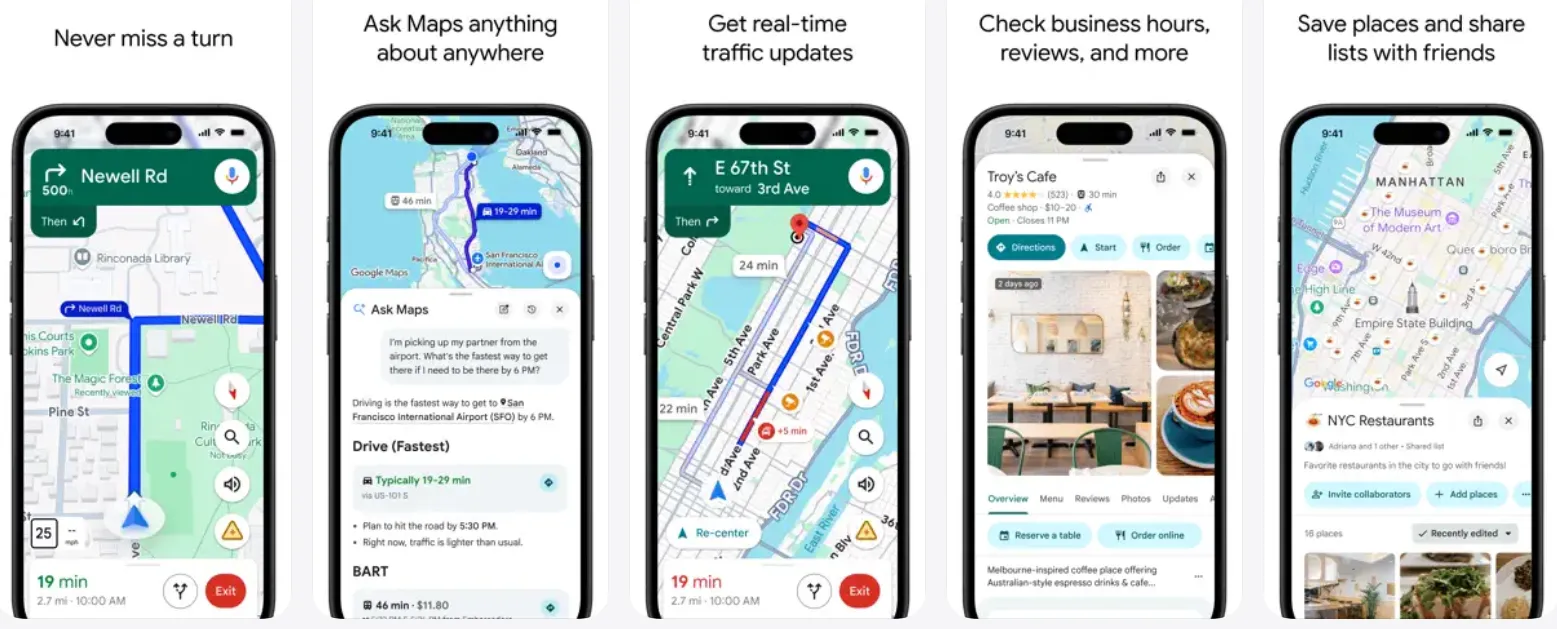
While specialized train apps offer deeper technical details, Google Maps remains the ultimate daily companion for navigating on foot, finding platforms, and managing multi-modal trips.
Key Features:
-
Platform Numbers: In major hubs like Tokyo, Shinjuku, or Osaka Station, Google Maps reliably displays the exact platform number your train is arriving at and departing from.
-
Real-Time Data: It continuously pulls live timing data from transit operators, making it highly accurate for delays or schedule changes.
-
Walking & Transfers: It excels at "last-mile" navigation, telling you exactly which subway exit to use to reach your street-level destination.
-
Live View (AR Navigation): In busy areas like Shibuya or Shinjuku, you can use your phone's camera to activate Live View, which overlays directional arrows on the real-world street view, making it much easier to find your way.
-
Business Info & Reviews: Search for restaurants, shops, and attractions, see their hours, read reviews, and even book tables directly.
-
Integrated Directions: Provides door-to-door directions combining transit, walking, and even ride-sharing.
Pros:
-
Excellent English support.
-
Familiar interface.
-
Robust search for restaurants and attractions.
-
Offline map downloading capabilities.
Cons:
-
Occasionally struggles with complex multi-level underground layouts.
-
Can suggest overly complicated transfers
-
Can be a battery and data hog.
-
Limited rail pass optimization.
Download:
Apple Maps Alternative:
In Japan, Apple Maps has become highly competitive, particularly with detailed 3D station maps and superior step-by-step walking directions in high-density areas like Shibuya and Kyoto.
2. Japan Travel by NAVITIME
This is the official international version of the NAVITIME app. It's designed specifically for English-speaking tourists and combines the powerful routing engine of NAVITIME with a comprehensive travel guide.
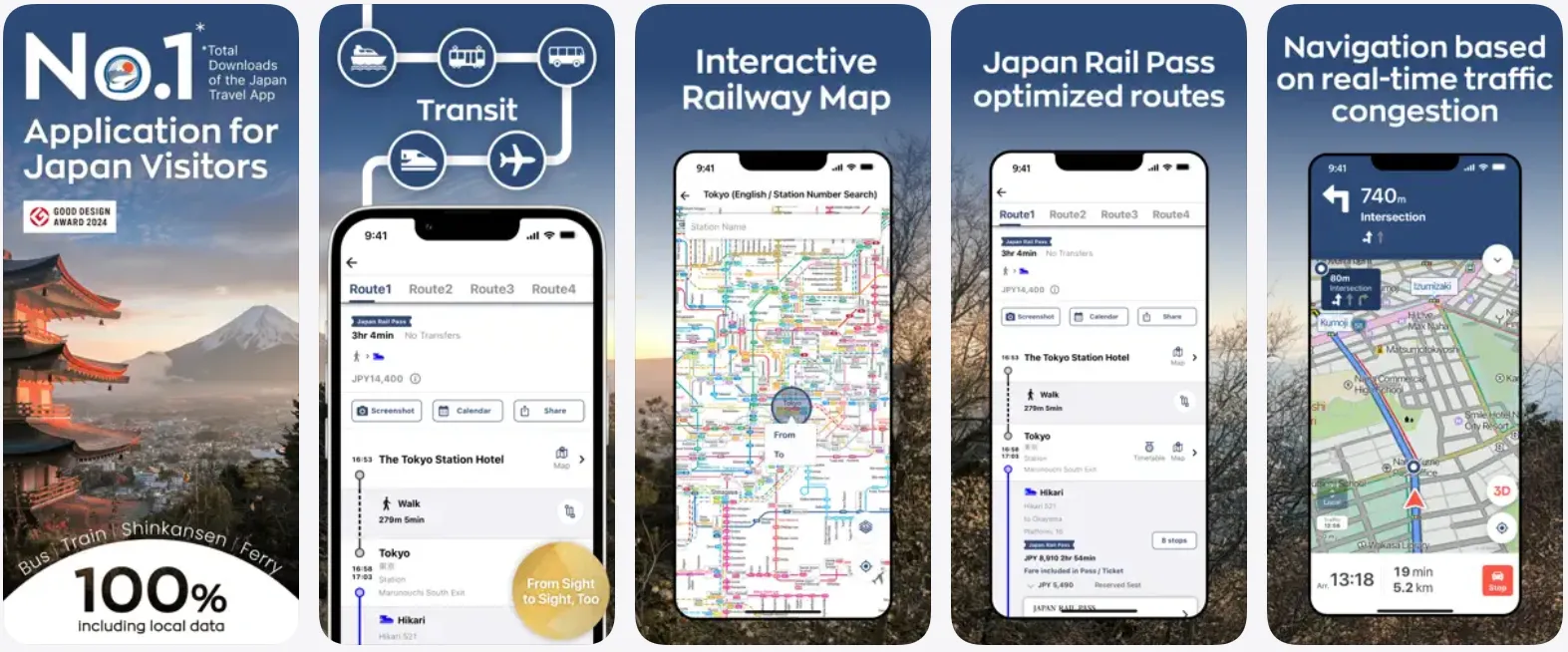
While Google Maps is great for local city travel, NAVITIME is the absolute gold standard for planning major itineraries across the country. It features a dedicated filter for rail passes (like the Japan Rail Pass or Tokyo Subway Ticket), showing you routes that maximize your pass savings. It also explicitly shows train names, timetables, and offline Wi-Fi spot finders.
Key Features:
-
JR Pass Mode: A standout feature. You can tell the app which rail pass you have (e.g., JR Pass, Tokyo Subway Ticket), and it will only show routes that are covered by your pass, helping you maximize your savings.
-
Offline Search: You can save up to 50 routes to use offline. It also allows you to search for important spots like Wi-Fi hotspots, currency exchange counters, ATMs, and tourist info centers offline.
-
Precise Car Recommendations: It tells you exactly which train car (e.g., "Car 4") to board for the fastest transfer or the closest exit at your destination.
-
Built-in Travel Guide: Provides informative articles written by foreign residents on topics like transportation, culture, food, and nightlife.
Pros:
-
Multilingual support (13 languages).
-
Highly visual transfer guides.
-
Deep customization for traveler profiles.
-
Shows JR Pass-compatible routes.
Cons:
- Some advanced features and premium routes require a paid subscription.
Download:
3. Japan Transit Planner (Jorudan)
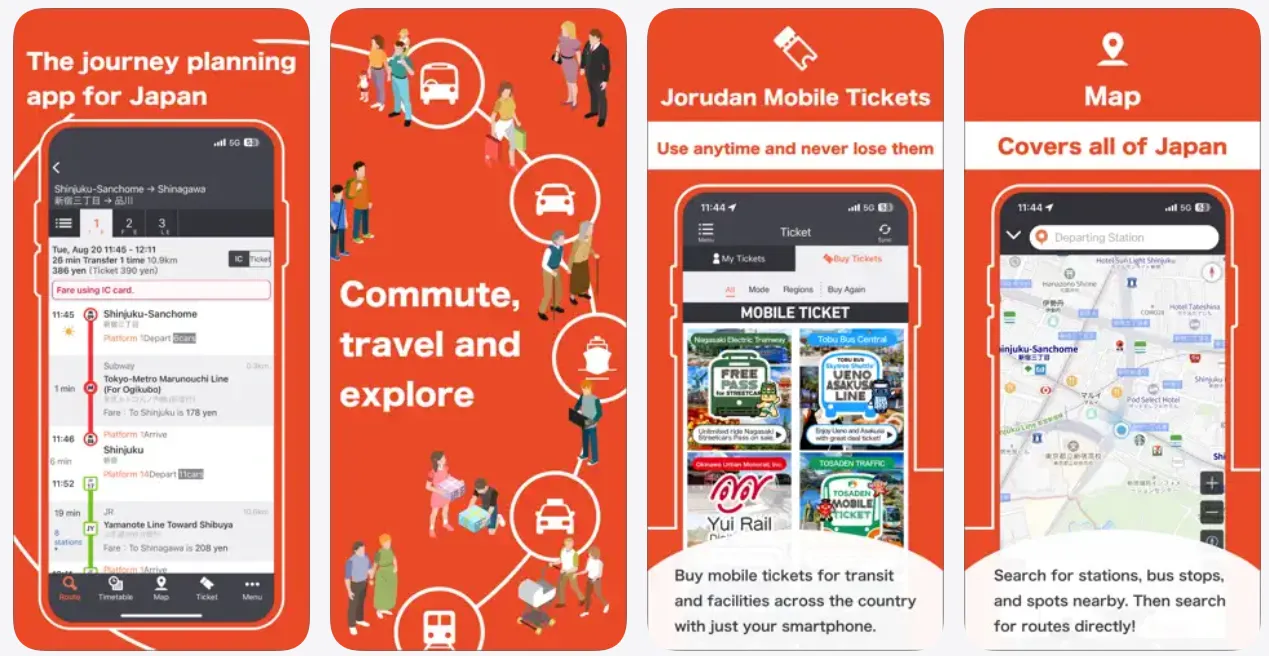
Developed by Jorudan, the company behind the original "Norikae Annai," this app is another excellent choice for tourists, particularly known for its strong support of various rail passes.It allows you to sort route options by "Fastest," "Cheapest," or "Fewest Transfers." It also lets you toggle between IC Card fares and paper ticket fares (which can sometimes differ by a few yen) with a single click.
Jorudan is the English-language version of the most-downloaded transit app used by Japanese locals. It is highly optimized, lightning-fast, and hyper-accurate.
Key Features:
-
Station Numbering Support: Stations in Japan feature unique letter-and-number codes (e.g., Shibuya Station on the Yamanote line is JY20). Jorudan fully integrates station numbering, making it easy to identify stops even if you cannot read Japanese kanji or English romanization.
-
Excellent Pass Support: Like Japan Travel by NAVITIME, you can select from a long list of regional and national rail passes, and the app will plan routes that are fully covered, preventing unexpected charges.
-
Fare Breakdown: Easily toggle between physical ticket prices and IC Card (Suica/Pasmo) rates, which often differ by a few yen.
-
Seat Preferences: When looking up Shinkansen routes, you can specify whether you prefer non-reserved, reserved, or Green Car (first-class) seats, allowing you to calculate exact costs.
-
Pedestrian Navigation: Includes walking navigation to guide you from the station exit to your exact destination.
-
Detailed Transfer Info: Shows platform numbers and required walking time between transfers, a huge help in large stations.
Pros:
-
Clean, lightweight layout that loads incredibly fast on weaker cellular connections.
-
Massive database of timetables.
- Multilingual support.
Cons:
-
The free version includes banner ads; advanced features (like platform layout guides) require the Premium tier.
-
Less beginner-friendly than Google Maps.
-
Interface feels dated.
Download:
4. Yahoo! Transit (Yahoo!乗換案内)
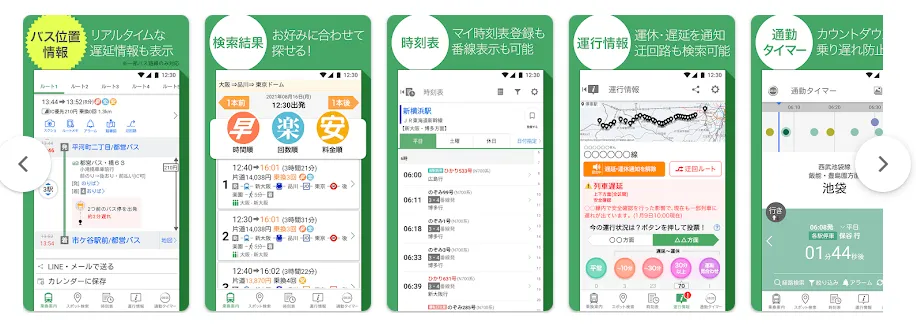
If you're comfortable with a Japanese interface, or can memorize a few key buttons, this is one of the best and fastest free transit apps available.It is beloved for its clean, easy-to-use interface and fast search speeds. It's a fantastic, free alternative to NAVITIME.
Key Features:
-
Simple & Intuitive Search: The interface is straightforward, making it easy to quickly find a route without extra features cluttering the screen.
-
Flexible Search Options: Search by departure/arrival time, cheapest fare, or fewest transfers.
-
Essential Information: Provides platform numbers, transit maps, and even crowding predictions.
Pros:
-
Fast route recalculation.
-
Excellent delay notifications.
-
Very accurate local train data.
-
Strong suburban coverage.
Cons:
- The app interface is entirely in Japanese, which can be a barrier for those who don't read basic Japanese characters or kanji.
- Interface can feel crowded.
- This app requires an internet connection and does not offer an offline mode.
Download:
5. Shinkansen smartEX App
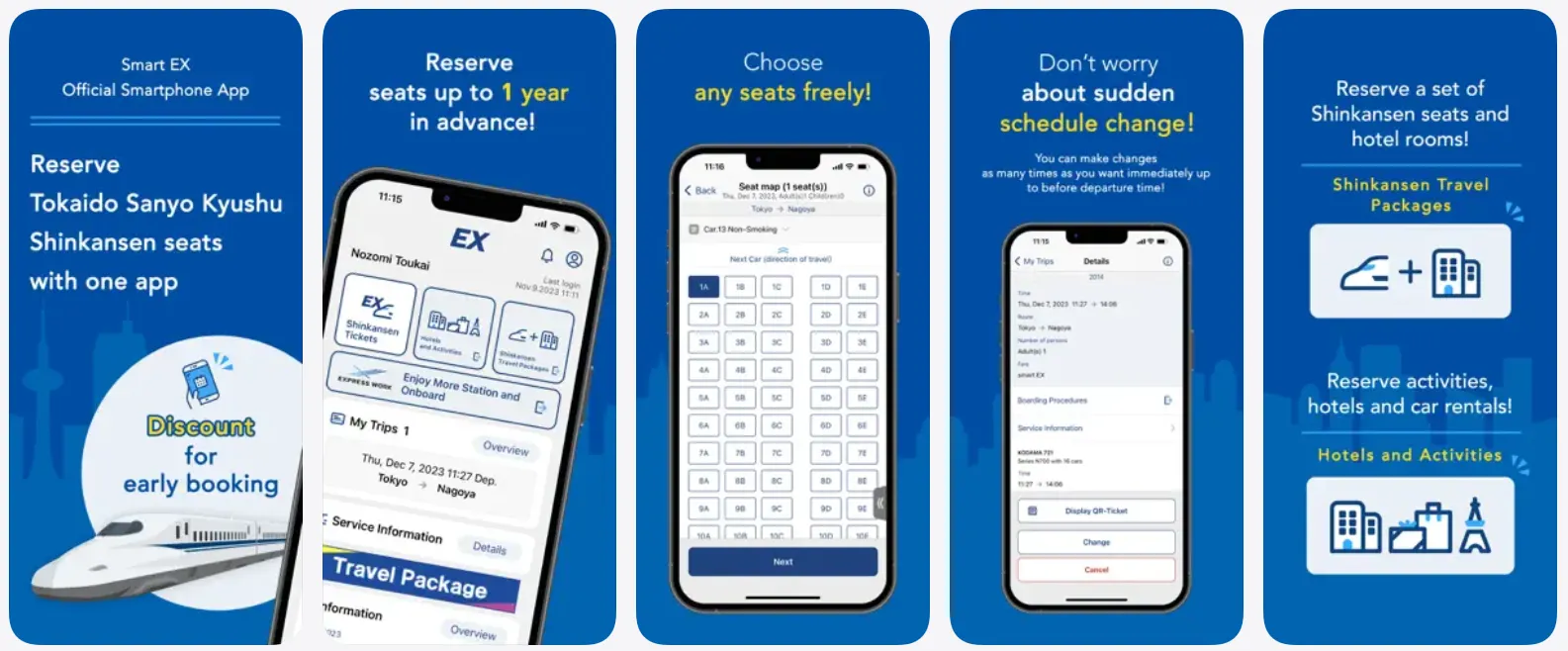
If you plan to travel the popular golden route (Tokyo – Nagoya – Kyoto – Osaka), you will want this app. It is the official booking app for the Tokaido, Sanyo, and Kyushu Shinkansen lines. You can buy bullet train tickets directly on your phone, reserve seats (including the required oversized baggage areas), and link the digital ticket right to your phone's IC card.
Key Features:
-
Direct Booking: Allows you to book tickets up to a month in advance, choose your exact seats (including the highly coveted Mount Fuji-side seats on the right side heading south from Tokyo), and make free reservation changes.
-
IC Card Linking: You can link your purchased Shinkansen reservation directly to your registered digital Suica or Pasmo. When you arrive at the Shinkansen gates, you simply tap your phone/watch to pass through.
Pros:
-
Avoids the stress of waiting in long ticket office lines at major stations.
-
Reserve seats before arrival.
-
QR-code ticket boarding.
-
Change reservations easily.
-
Link IC cards for ticketless travel.
- The app is available in English, Japanese, Simplified Chinese, Traditional Chinese, and Korean.
Cons:
-
Some foreign credit cards still fail occasionally.
-
Registration setup can be confusing.
Download:
6. GO / Taxi
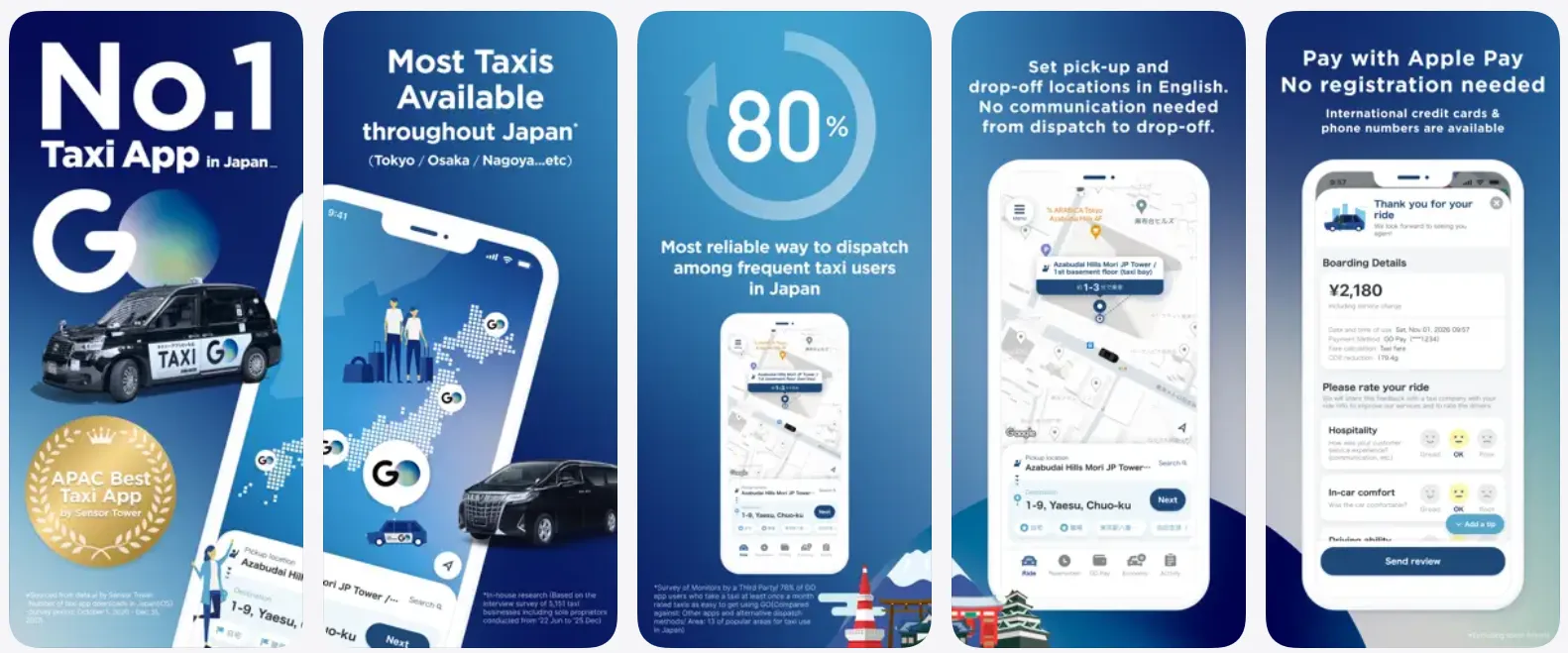
This is the dominant ride-hailing app in Japan (formerly known as JapanTaxi). It's a must-have for times when you need a cab, whether it's late at night, with heavy luggage, or during bad weather. It completely eliminates the language barrier. You pin your destination in the app, a local taxi picks you up, and your linked credit card pays automatically through "GO Pay" so you don’t have to fumble with cash at the end of the ride.
Key Features:
-
No Language Barrier: You enter your pickup and drop-off points directly in the app. The driver receives the GPS coordinates, eliminating the need to explain directions in Japanese.
-
Cashless Payment: Register your credit card in the app to pay automatically. No need to fumble for cash or use a credit card machine in the taxi.
- AI Reservations: You can schedule a taxi for a future time, which is perfect for early morning airport runs or catching the first train of the day.
-
Alternative (Uber): Uber works in Japan, but in most cities, it simply dispatches standard local taxis rather than private ride-share vehicles, and its coverage is much more limited than GO.
- Wide Coverage: Available in all 47 prefectures of Japan (excluding remote islands). Overseas mobile numbers are accepted for registration.
Pros:
-
Massive fleet of registered vehicles.
-
Fast pickup times.
-
Clear upfront pricing.
-
Easy airport pickups.
- Ride tracking.
-
The app is available in English, Japanese, Korean, and Traditional Chinese.
Cons:
- Subject to local dispatch fees (usually a few hundred yen added to the meter).
Download:
Summary: Which Apps Should You Download?
|
Travel Goal |
Recommended App(s) |
Why You Need It |
|
Daily Navigation |
Google Maps / Apple Maps |
Best for point-to-point walking, business lookups, and basic platform numbers. |
|
Complex Transfers |
Japan Travel by NAVITIME |
Crucial for regional pass filters and finding the exact train car to board. |
|
Quick Timetables |
Japan Transit Planner (Jorudan) |
Highly accurate, lightweight, and uses helpful station-number codes. |
|
Taxi Hailing |
GO |
Best coverage nationwide; eliminates language barriers with taxi drivers. |
|
Bullet Train Booking |
SmartEX |
Best for reserving Shinkansen seats and linking them to your digital IC card. |
Ultimately, the best setup is often a combination of apps. For example, using Japan Travel by NAVITIME for your main route planning and Google Maps for final walking directions will give you a powerful navigation toolkit. With these apps on your phone, you'll be ready to explore Japan's incredible cities with confidence and ease.
Pro-Tips for Transit Success in Japan
-
Prepare Offline Backups: Station layouts and high-speed transit can sometimes disrupt cellular data. Screenshot your planned routes, especially the transfer station names and platform numbers.
-
Keep an Eye on the Terminal Destination: Local train signs often display the name of the final destination of the line rather than the stop you are looking for. Navitime and Jorudan always show the terminal destination in parentheses so you can verify you are boarding the correct train.
-
Bring a Portable Battery Pack: Constantly running GPS, looking up translations, and tapping through transit gates will deplete your phone's battery quickly. Keep a reliable power bank on hand.